Introducing Higgs VoiceOver: AI voice-over in your editor
The Boson AI TeamSeptember 25, 2026
Every word in this film, including the narration, was generated with Higgs VoiceOver.
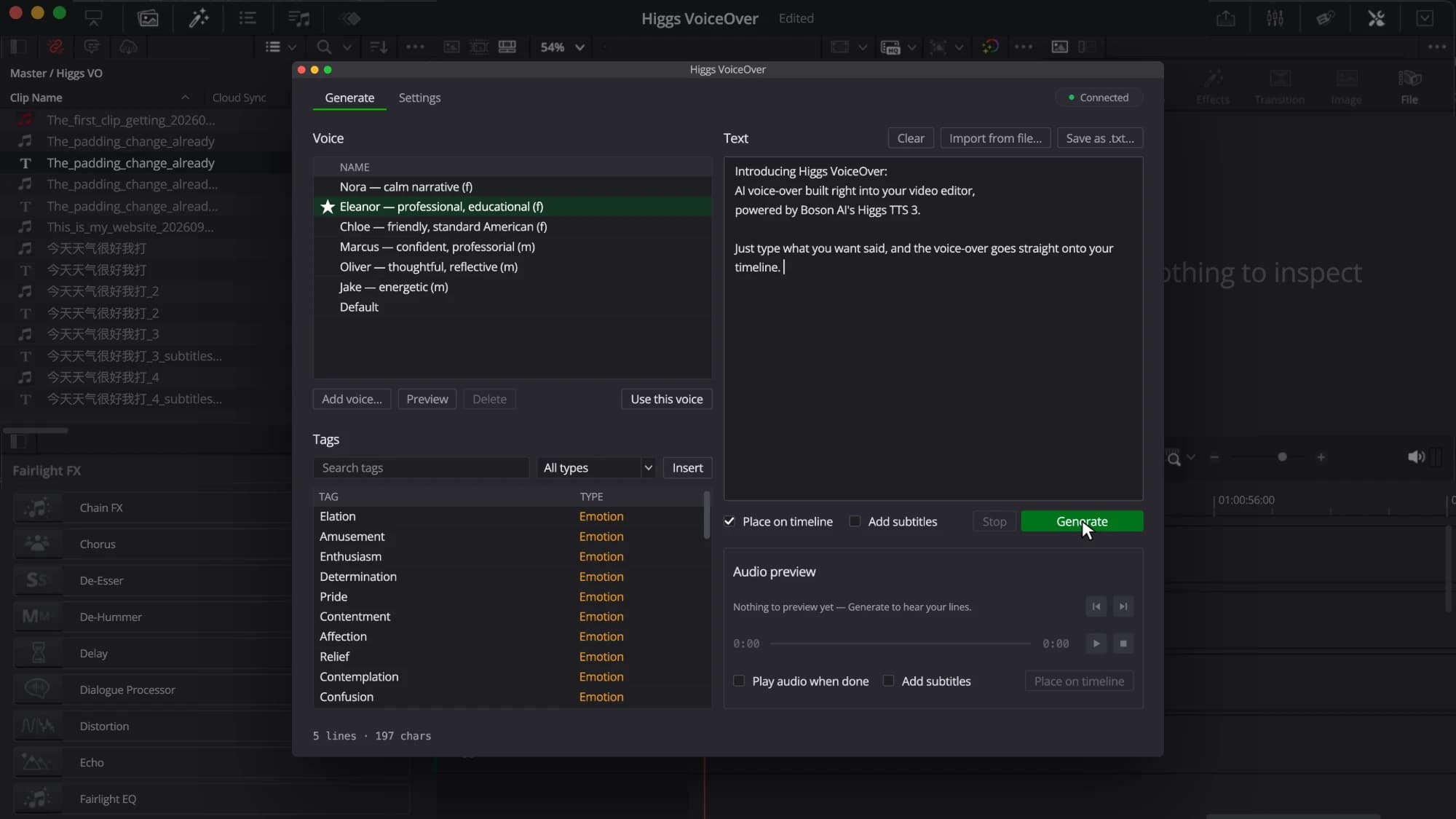
Introducing Higgs VoiceOver, a plug-in that puts AI voice-over inside your video editor. Every line of narration becomes its own clip, generated and placed right on your timeline.
You can direct each read for the emotion, style and speed you want: a whisper, a slower pace, even a cough in the middle of a sentence. Subtitles can be generated automatically, with word-level timing. You can also build a custom voice from your own audio sample.
Higgs VoiceOver runs on Higgs TTS 3 and is available today for DaVinci Resolve Studio on macOS, with versions for Adobe Premiere Pro and Apple Final Cut Pro in development.
Emotions, styles, speed and sound effects, written as tags in the text.
Customize voice
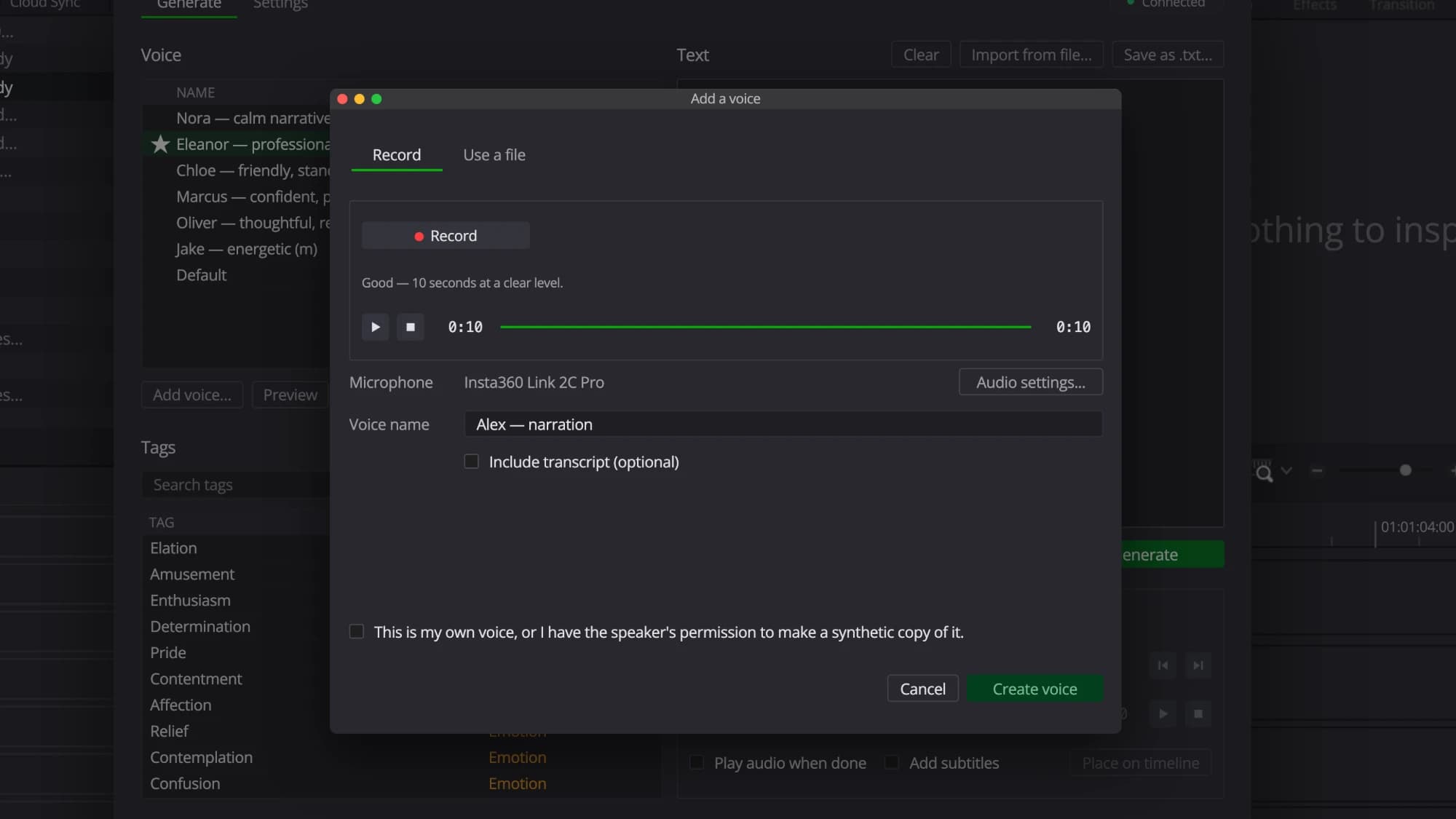
Build a custom voice from about ten seconds of your own audio.
100+ languages
One line can start in Chinese and end in Spanish, in the same voice, with no tag needed.
Built-in subtitles
Subtitles are generated automatically, with word-level timing.
Generate right in your editor
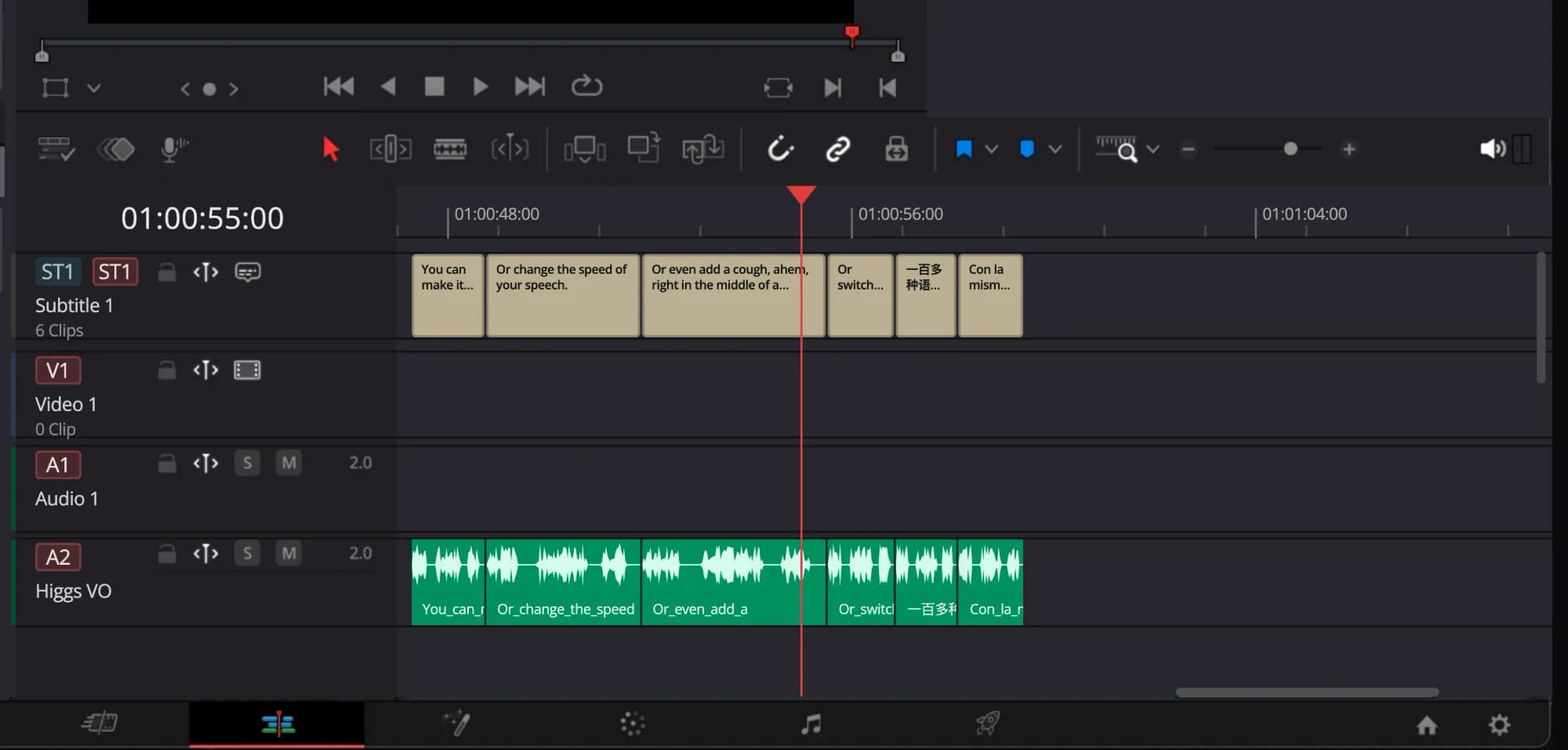
Higgs VoiceOver works inside the editor, right next to your timeline. Each line of narration becomes its own clip, generated by Higgs TTS 3 and placed on a voice-over track in order.
You don’t have to export a file, dig through a download folder or import anything. Generate, preview, edit, direct and place each take on your timeline, all without leaving your video editor.
Direct the read
The tag support of Higgs TTS 3 is built right into Higgs VoiceOver. A tag before a line sets its emotion or style. A tag inside a line adds a pause or a sound, right where it sits.
<|style:whispering|> You can make it whisper.
<|prosody:speed_very_slow|> Or change the speed of your speech.
Or even add a cough, <|sfx:cough|> ahem, right in the middle of a sentence.
Higgs VoiceOver supports more than a hundred languages, and any voice can speak any of them, even switching languages within the same line.
一百多种语言,con la misma voz.More than a hundred languages, the same voice.
Subtitles, timed to each word
Higgs VoiceOver can generate subtitles along with the audio, powered by the word-level timestamps of Higgs TTS 3. It splits your text the way a subtitler would, at punctuation and at the natural pauses in the voice, and places the result on your subtitle track as ordinary, editable subtitles.
Clone a voice from ten seconds of sample audio
About ten seconds of your own audio is enough to build a custom voice. Record it with the microphone your computer already has, or use an existing sample. The new voice joins your voice library, ready for any line in any project.
To clone a voice, you must own the rights to it or have the speaker’s permission.
Designed for real editors’ workflows
We built Higgs VoiceOver around the video editing workflow: each line is its own clip, a rewrite is simply one more generation, and the whole cycle happens inside your video editing software.
The first release is for DaVinci Resolve Studio on macOS. Versions for Adobe Premiere Pro and Apple Final Cut Pro are in development, each fitted to its host’s own interface. A Windows version is also on the way.
Bring your own Boson API key
Higgs VoiceOver runs on your own Boson API key from Boson Workspace, and generation is billed to your Workspace account as you use it. There is no subscription and nothing to buy up front.
New Workspace accounts start with $10 in free trial credit. At the Higgs TTS 3 rate of $0.015 per thousand characters, that covers about 660,000 characters of script, roughly 12 hours of narration.
Availability
Higgs VoiceOver is available today for DaVinci Resolve Studio on macOS, with the installer and release notes on GitHub.